
Icon of program: Ryujinx

Ryujinx for Mac

  • Free
  • 5
    2
  • 17.8K
  • V1.3.75

Ryujinx Nintendo Switch Emulator for Mac

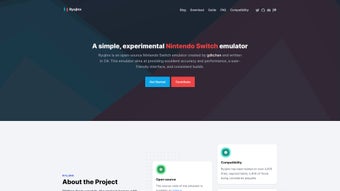
Ryujinx is an open source Nintendo Switch emulator for Mac, offering solid performance and precision in emulation. The program is developed in C#, ensuring compatibility with Windows and Linux. Running Ryujinx demands high system specifications, with game performance relying heavily on compatibility. The official website provides a detailed compatibility list for reference.

Top Recommended Alternative

Setting up games on Ryujinx requires some time, but the intuitive interface simplifies the process. Prior to gaming, users should consult the emulator's website for essential information. Ryujinx stands out as a robust and user-friendly Nintendo Switch emulator, boasting an impressive compatibility list that allows Mac users to enjoy a wide array of popular Nintendo Switch games.

 0/1

App specs

  • License

    Free

  • Version

    1.3.75
  • Latest update

  • Platform

    Mac

    Other platforms (1)
  • OS

    macOS 10.15

  • Language

    English

    Available languages

    • Arabic
    • Chinese
    • Dutch
    • English
    • French
    • German
    • Italian
    • Japanese
    • Korean
    • Polish
    • Portuguese
    • Russian
    • Spanish
    • Swedish
    • Turkish
  • Downloads

    17.8K

    Last month's downloads

    • 478
  • Developer

Also available in other platforms

Program available in other languages


Icon of program: Ryujinx

Ryujinx for Mac

  • Free
  • 5
    2
  • 17.8K
  • V1.3.75

User reviews about Ryujinx

Have you tried Ryujinx? Be the first to leave your opinion!

Add review

Frequently asked questions (FAQs)about Ryujinx

Where can I find the official steps for adding games?

The Setup & Configuration Guide on the project’s GitHub page has a section called “Adding your games to Ryujinx.” Follow those instructions to dump your titles and point the emulator to the correct files.

Does the application run on macOS devices?

Yes. A participant uses it on a MacBook because alternative Switch emulators are unavailable for them, indicating that the software supports macOS.

Which settings help boost performance on macOS?

Enabling shader cache, texture recompression, and macro HLE can raise frame rates. Some users also cap the game at 45 fps to smooth fluctuations. Results vary by chip and RAM, so try each option individually.

Can I remove the emulators that were packaged with individual games?

Yes. Once you have copied the ROMs and save data into your new, standalone installation, the old bundled folders are redundant and can be safely deleted to free disk space.

Where are my save files and how can I keep them?

Each bundled emulator keeps saves in its own sub-directory. Locate those folders, copy their contents, then paste them into the corresponding save location in your new Ryujinx profile to continue your progress.

How do I add games to the library after consolidation?

Open Options > Settings > Game Directories, click Add, and select the folder containing your .nsp or .xci files. Press Apply and Ryujinx will scan the folder and display the titles automatically.

Where in the emulator can I toggle motion controls?

Open the main settings menu, look for the controller or input section, and turn on motion controls. Confirm the controller is connected in Switch or DirectInput mode before testing in-game.

Does this emulator officially support piracy?

No. Like many console emulators, it requires users to supply their own keys and game dumps. The project itself does not distribute copyrighted material; enabling piracy could invite legal action.

You may also like

Explore Apps

Latest articles

Laws concerning the use of this software vary from country to country. We do not encourage or condone the use of this program if it is in violation of these laws.
Softonic

Is Ryujinx safe?

100/100

Score result: Clean

This file passed a comprehensive security scan using VirusTotal technology. It is safe to download.

  • Virus free
  • Spyware free
  • Malware free
  • Verified by Security Partners

    VirusTotal logo

Scan Info

Last scan
Thursday, August 1, 2024
Scan provider
VirusTotal

Softonic security commitment

Ryujinx has been thoroughly scanned by our advanced security systems and verified by industry-leading partners. This file comes from the official developer and has passed all our security checks, showing no signs of viruses, malware, or spyware. For more information, visit our Security and Trust Center